
You can search for an entity in a LogPoint and add it to the graph. Once the entity is added to the graph, you can also search LogPoints where the entity with same name exists. You can also create new entities, collectors/fetchers, and add new source for these LogPoints.
Go to Config View.
Select the LogPoint where you want to add the entities in the graph.
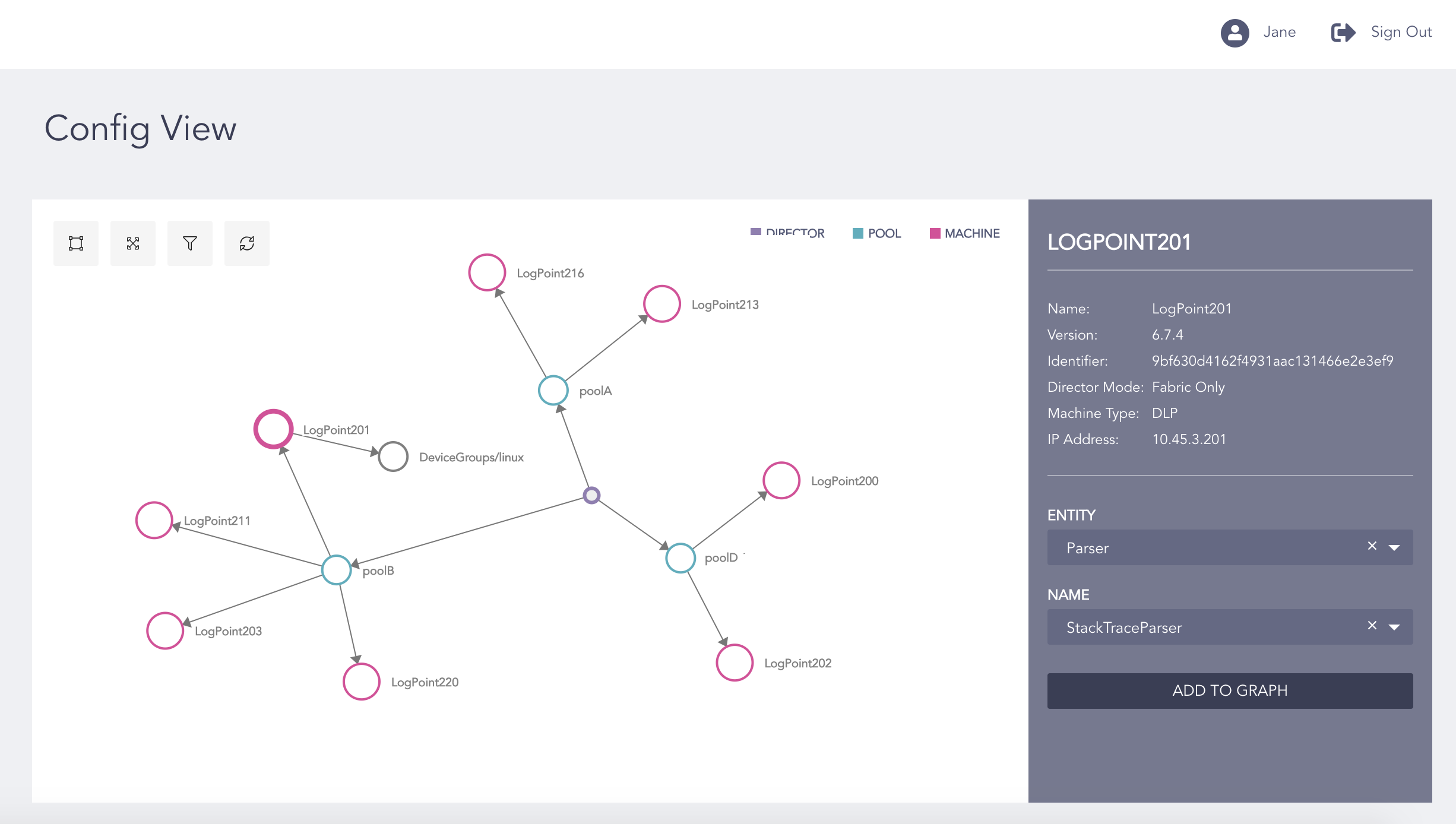
Adding Entities to the Graph
Select the Entity.
Select the Name of the entity you want to add to the graph.
Click Add to Graph.
Right-click the added entity and select Machines with same entity.
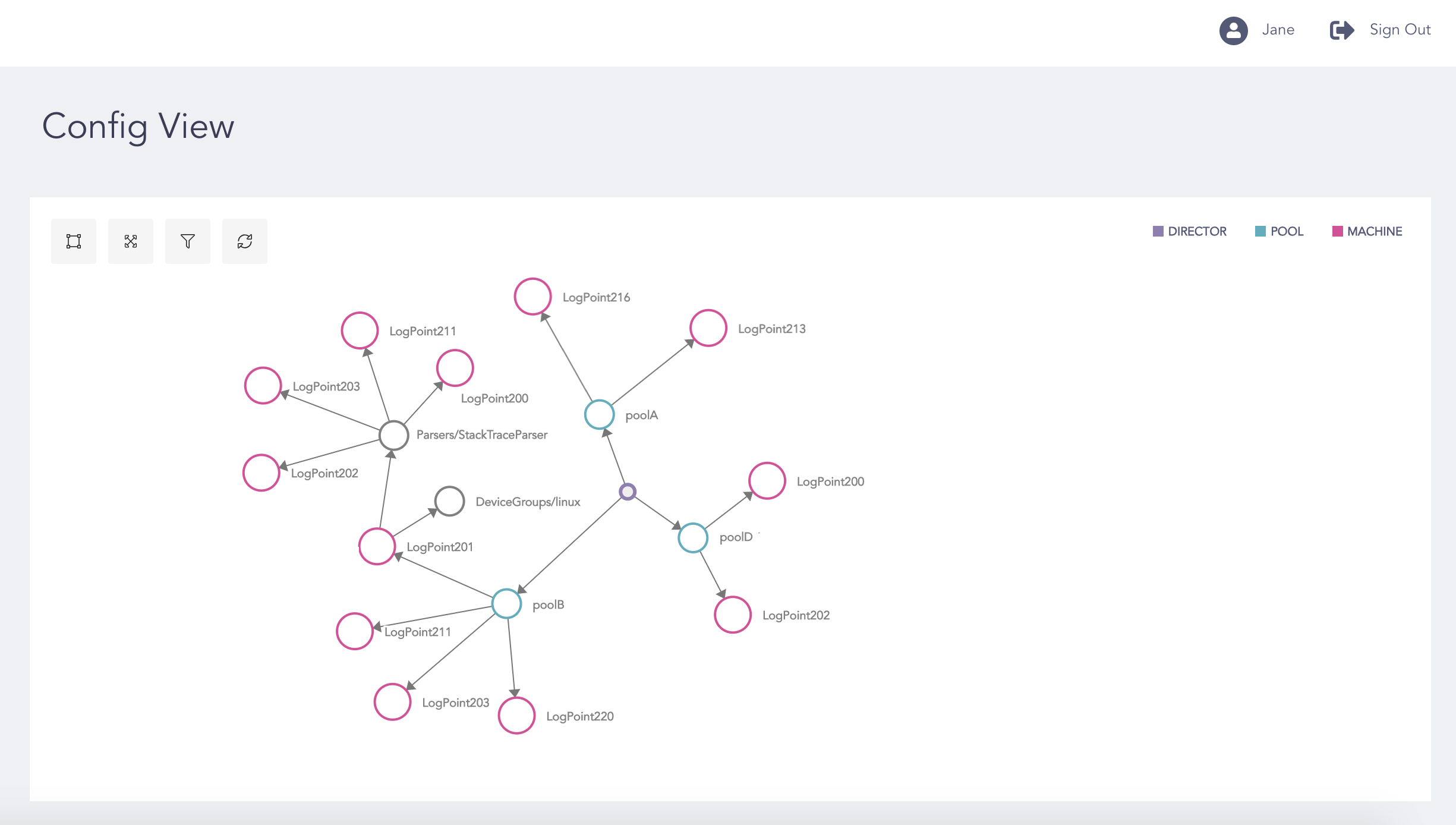
Machines with Same Entity in the Graph
Right-click the entity and select Show in group to view the LogPoint instances in a group based on their versions.